What progress does the extension track?
It records the visible height ranges of documentation body content as you read and uses those ranges to calculate per-page and total document progress.
A reading ledger for developer documentation
Track the technical pages you have actually seen. Build or resume a local index, reveal visible progress, and decide when each page should keep recording.
Published for Chrome, Edge, and Firefox. Reading progress is stored locally by the extension.
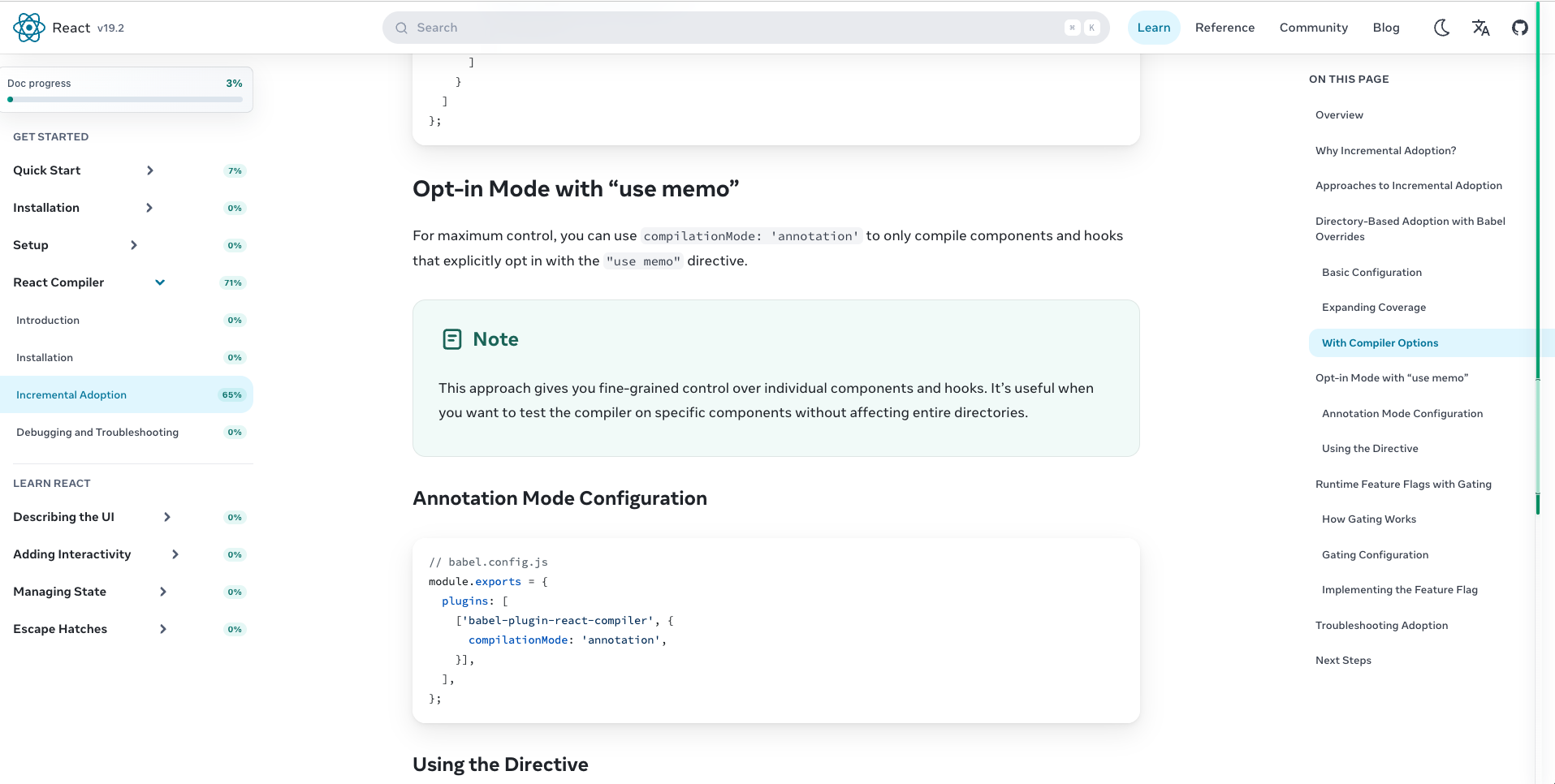
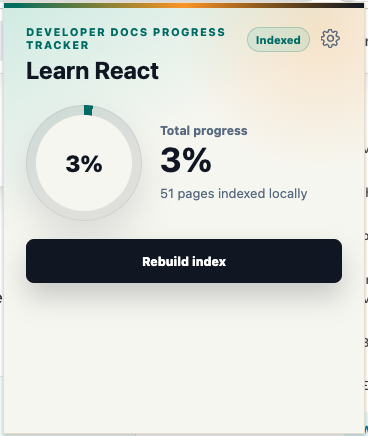
How it works
Open the extension on a supported documentation site to collect its pages, measure body content, and resume an interrupted index when a checkpoint is available.
Progress is calculated from the body content that enters your viewport, not simply from pages you visited.
See total progress, page badges, a right-side reading map, and a draggable page recording switch while moving through long technical guides.
Product proof
A document-wide overview sits beside page-level detail, so unfinished material remains visible while you read, pause, or clear page progress.
Latest update
Accounts, server indexes, and broader docs support
Version 0.3.0 keeps indexing and reading progress local by default while adding optional account features, permission-gated server index workflows, and dedicated support for more documentation collections.
Supported docs
Purpose-built adapters with default extension access.
Other HTTPS documentation sites can be checked for a supported framework before indexing. Detection can be reused for the same host and document range, but does not guarantee every site implementation.
Missing a site?
I'm expanding the built-in index catalog based on real reading paths. Share a documentation site and I'll use the requests to prioritize the next adapters.
Local by implementation
Documentation indexes, reading progress, site settings, page settings, and index checkpoints are stored in the extension's local IndexedDB database. Global settings use browser extension local storage.
Import and export are actions you start from the manager page; exported data can optionally include reading progress and global application settings.
These are verified product-storage facts, not a substitute for a privacy policy.Questions, answered
It records the visible height ranges of documentation body content as you read and uses those ranges to calculate per-page and total document progress.
Yes. Indexing saves temporary checkpoints during measurement, and the popup can offer a resume action when the previous sidebar links still match the current documentation range.
React Docs, Playwright Docs, and OpenAI Codex Docs have built-in support. Other HTTPS documentation sites can be checked for detectable frameworks such as Docusaurus, VitePress, Nextra, Fumadocs, Starlight, Material for MkDocs, and Retype; detected support is cached for that host and document range.
Yes. Indexed pages can use a page-level recording switch, and page progress badges with existing records support deletion from the documentation sidebar.
Site indexes, reading progress, page settings, site settings, and index checkpoints are stored in a local IndexedDB database in the extension. Global extension settings are stored through browser extension local storage.
Developer Docs Progress Tracker has published installation pages for Chrome, Microsoft Edge, and Firefox.